Free Chrome Extension

Stop hunting
for open tabs.

Tab Grouper automatically organizes every open tab by website into clean, collapsible groups — so you can find anything in seconds.

✓ 100% Free ✓ No sign-up ✓ No tracking
Add to Chrome — Free Buy me a coffee Watch Demo ▶
Tab Grouper showing grouped tabs in dark mode
15 tabs across 4 sites — organized

Watch Tab Grouper in action.

A quick video demo of grouping, searching, and switching tabs with Tab Grouper.

Everything you need,
nothing you don't.

Built to be fast, clean, and completely private. Zero tracking, zero accounts.

🗂️
Auto-group by domain

All your GitHub tabs together, all your Google Docs together. Groups are sorted by tab count automatically.

🔍
Instant search

Filter across tab titles, URLs, and domain names in real time. Find the tab you need without scrolling.

🌙
Dark & light mode

Toggle between a deep dark theme and a crisp light mode. Your preference is saved across sessions.

🔢
Tab count badges

See exactly how many tabs are open per site at a glance, right inside each collapsible group header.

Active tab highlight

Your currently active tab is always clearly marked with a blue left border and "Active" badge within its group.

⌨️
Keyboard shortcut

Open Tab Grouper from anywhere with Alt+Shift+G on Windows/Linux or ⌥+Shift+G on Mac.

Works beautifully
in any mode.

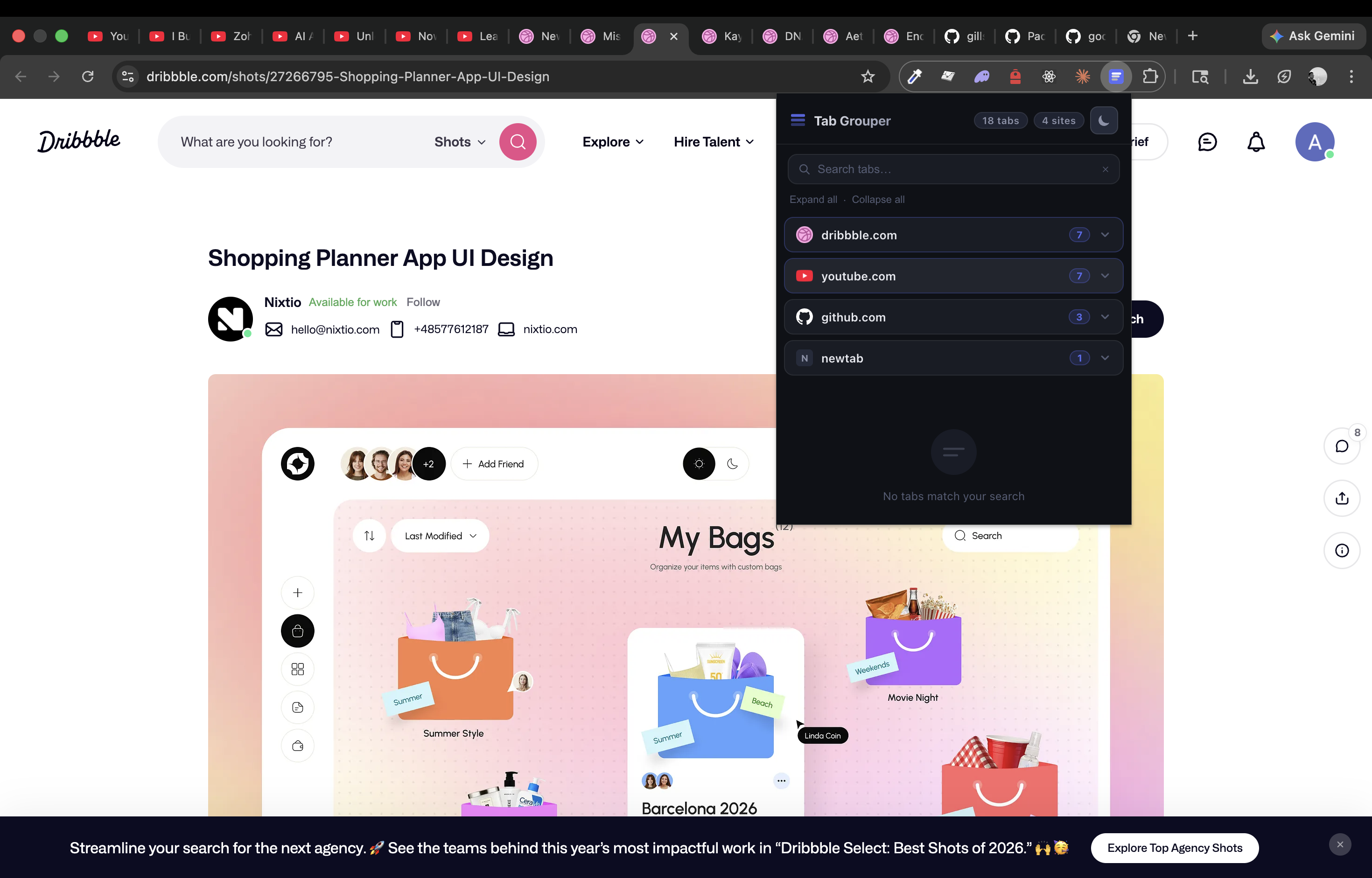
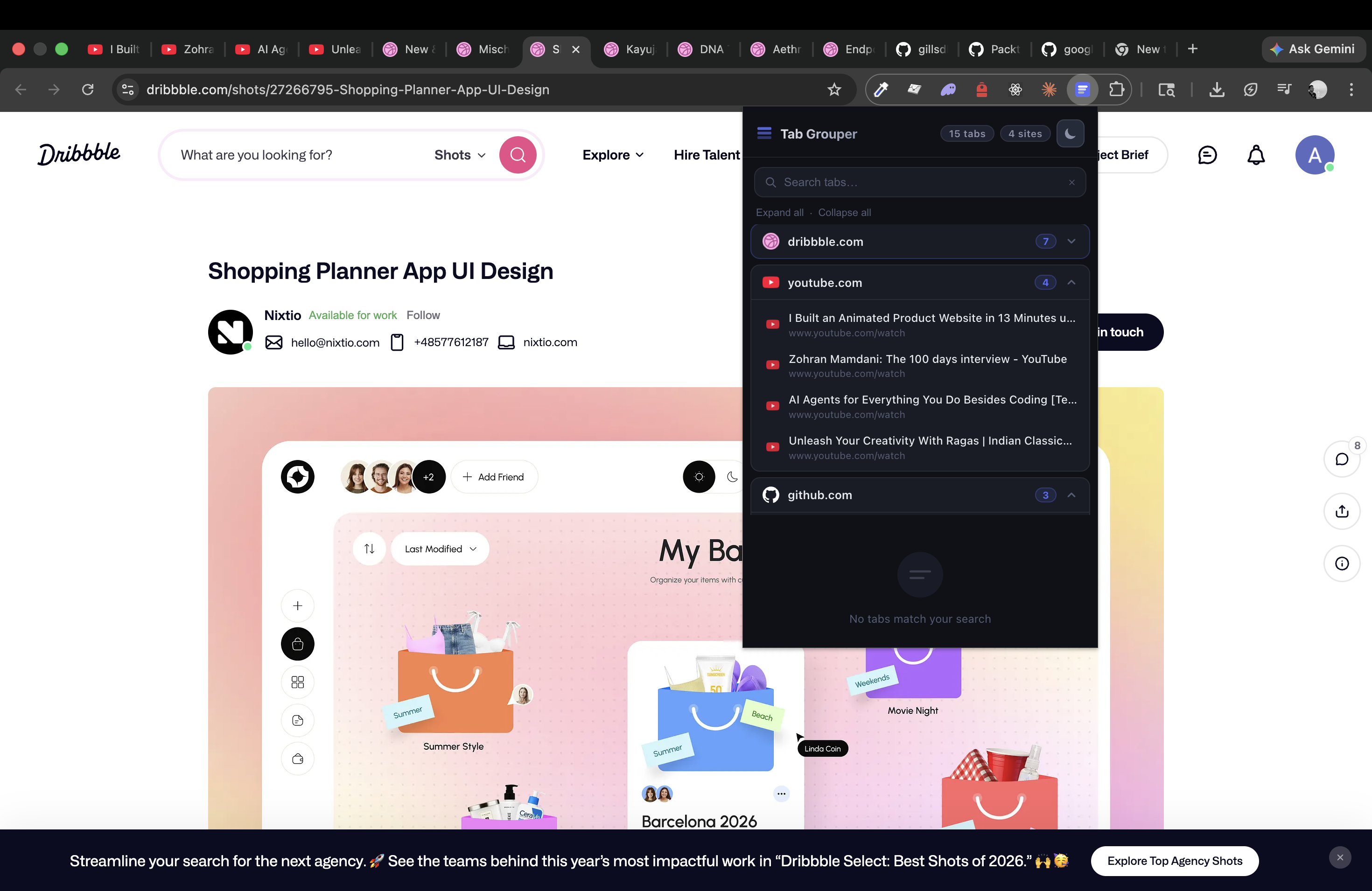
Dark mode · Group expanded Dark mode with one group opened
Dark mode · All collapsed Dark mode all groups collapsed
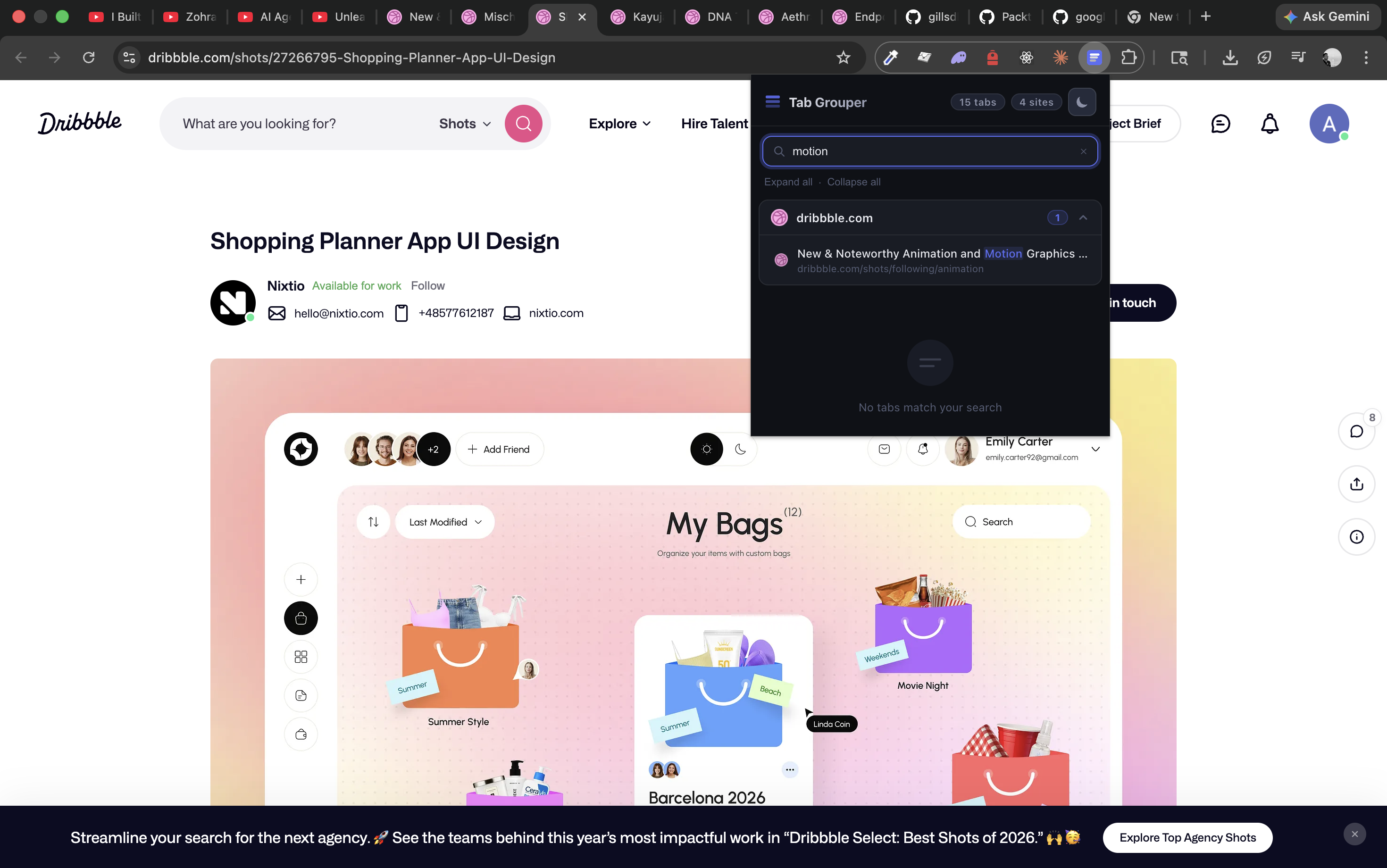
Dark mode · Search Dark mode search
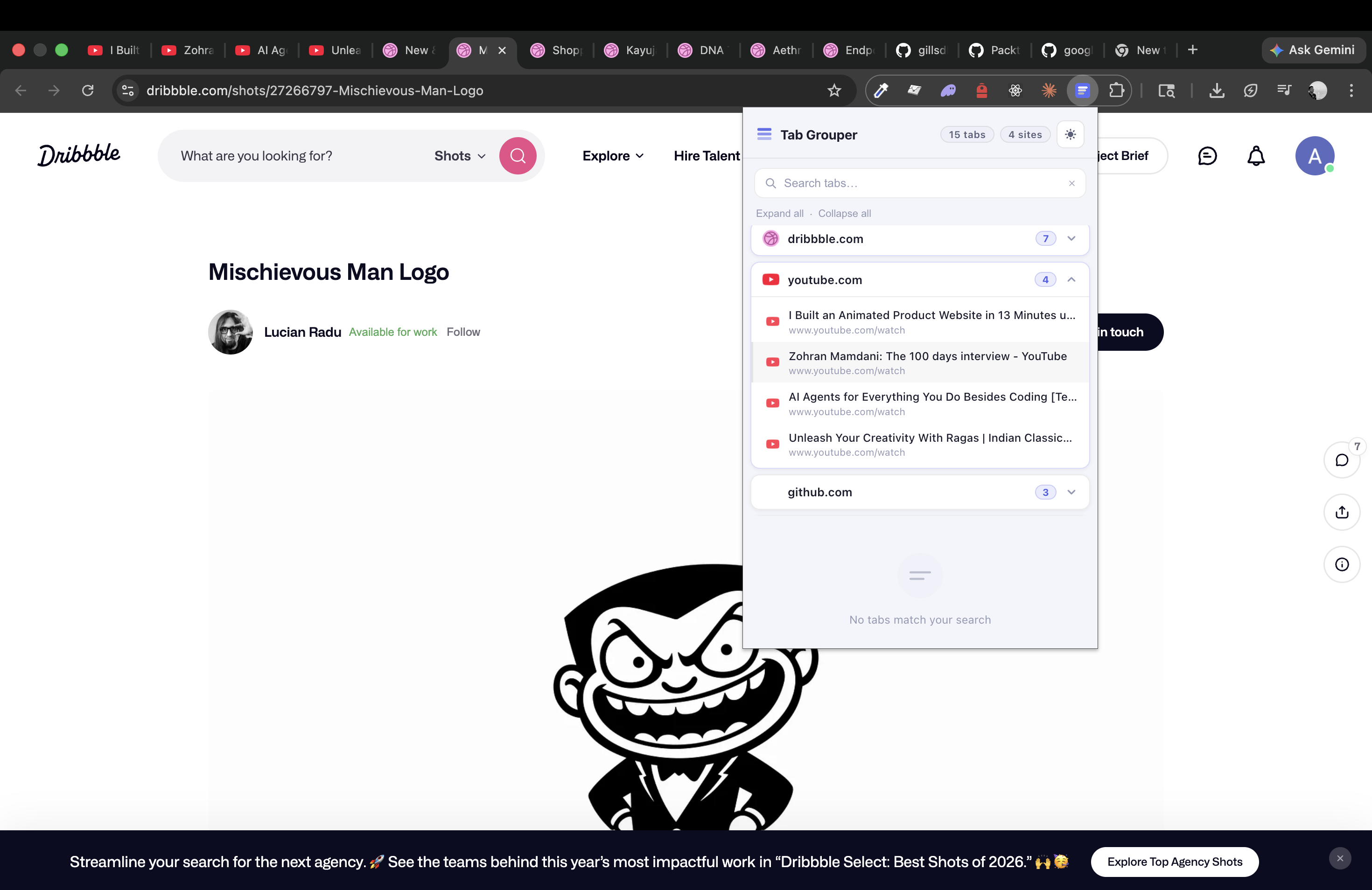
Light mode · Group expanded Light mode with group opened

Open it without
touching your mouse.

Tab Grouper responds to a keyboard shortcut on every platform so you can pull up your tabs without breaking your flow.

🪟 Windows & Linux
Alt + Shift + G
🍎 Mac
⌥ Option + Shift + G
You can also reassign the shortcut in
chrome://extensions/shortcuts

Ready to tame
your browser?

Install Tab Grouper in seconds. Free forever — no sign-up, no tracking, no catch.

Add to Chrome — Free Buy me a coffee

Enjoying Tab Grouper? A coffee keeps the developer going ☕

Works on Chrome, Brave, Edge, and all Chromium browsers.